
I spent three weeks last year testing eight different AI writing tools for a client project. By the end, I had a spreadsheet with forty-seven columns, a mild case of decision fatigue, and a profound realization. Most AI software reviews on the internet are either superficial listicles or thinly veiled affiliate promotions. They tell you what features exist, but they rarely tell you what actually works in real-world conditions.
Choosing the right AI tool is not about finding the most powerful or the most popular option. It is about finding the one that fits your specific workflow, budget, and skill level. A tool that transforms one person’s productivity might sit unused on another person’s desktop. The difference often comes down to how the tool is evaluated and implemented.
This article provides an honest, experience-based framework for reviewing and selecting AI tools and software. We will cover the major categories, what to look for during evaluation, common pitfalls to avoid, and practical advice for making confident decisions. Whether you are a solo creator, a small business owner, or part of a larger team, this guide will help you cut through the noise and find tools that genuinely deliver value.
Why AI Tool Reviews Matter More Than Ever
The AI software market has exploded. New tools launch weekly, existing tools add features daily, and the gap between marketing promises and actual performance is often wide. Without a structured approach to evaluation, it is easy to waste money on subscriptions that never get used or spend hours learning a platform that does not solve your actual problem.
I learned this the expensive way. Early in my consulting career, I signed up for a premium AI analytics platform based on a glowing review I read online. The interface was beautiful, the demo was impressive, and the price was steep. Three months later, I had used it twice. It was designed for enterprise data teams, not solo operators like me. The review I read never mentioned that distinction.
Good AI tool reviews go beyond feature lists. They examine usability, integration, support quality, pricing transparency, and real-world performance. They acknowledge limitations alongside strengths. Most importantly, they help readers match tools to needs rather than chasing the latest trend.
How to Evaluate AI Tools Like a Professional
Before diving into specific categories, it is worth establishing a framework for evaluation. After years of testing software for clients and personal use, I have developed a simple but effective checklist.
Define Your Problem First
The most common mistake is starting with the tool rather than the need. Write down the specific task you want AI to help with. Be precise. “I need help writing blog posts faster” is better than “I need an AI writing tool.” The more specific your problem, the easier it is to evaluate whether a tool actually solves it.
Test the Free Tier Thoroughly
Most reputable AI tools offer free trials or limited free tiers. Use them aggressively. Test edge cases, try the features you actually need, and pay attention to how the tool behaves when you push it beyond simple tasks. The free tier often reveals limitations that polished demos hide.
Check Integration and Export Options
A tool that cannot connect to your existing workflow creates friction. Before committing, verify whether the software integrates with your current apps, whether you can export your work easily, and whether your data remains portable. Vendor lock-in is a real risk in the AI space.
Read User Reviews Critically
Look for reviews from people with similar use cases to yours. A developer reviewing a coding assistant will notice different things than a marketer reviewing the same tool. Be skeptical of reviews that are entirely positive or entirely negative. Real tools have real trade-offs.
Calculate Total Cost of Ownership
Subscription pricing is just one factor. Consider training time, support costs, potential overage fees, and the cost of switching if the tool does not work out. A cheap tool that requires ten hours of setup may be more expensive than a premium one that works out of the box.
AI Writing and Content Creation Tools
Writing assistants were among the first AI tools to reach mainstream adoption, and the category has matured significantly. The best tools now go beyond simple text generation to offer research assistance, tone adjustment, fact-checking, and workflow integration.
What to Look For
When reviewing writing tools, prioritize context awareness. The best assistants remember your project details, maintain consistency across long documents, and adapt to your voice rather than imposing a generic style. Also evaluate collaboration features if you work with editors or team members.
Common Pitfalls
Many writing tools produce fluent but factually unreliable content. Always verify claims, statistics, and quotes generated by AI. Another pitfall is over-reliance. The best results come when AI handles drafting and ideation while humans manage strategy, fact-checking, and final polish.
Real-World Performance
In my testing, tools with large context windows and persistent project memory consistently outperformed those that treated each prompt as an isolated request. For long-form content like books or white papers, this distinction is critical. For short social media posts, it matters less.

AI Image and Design Generators
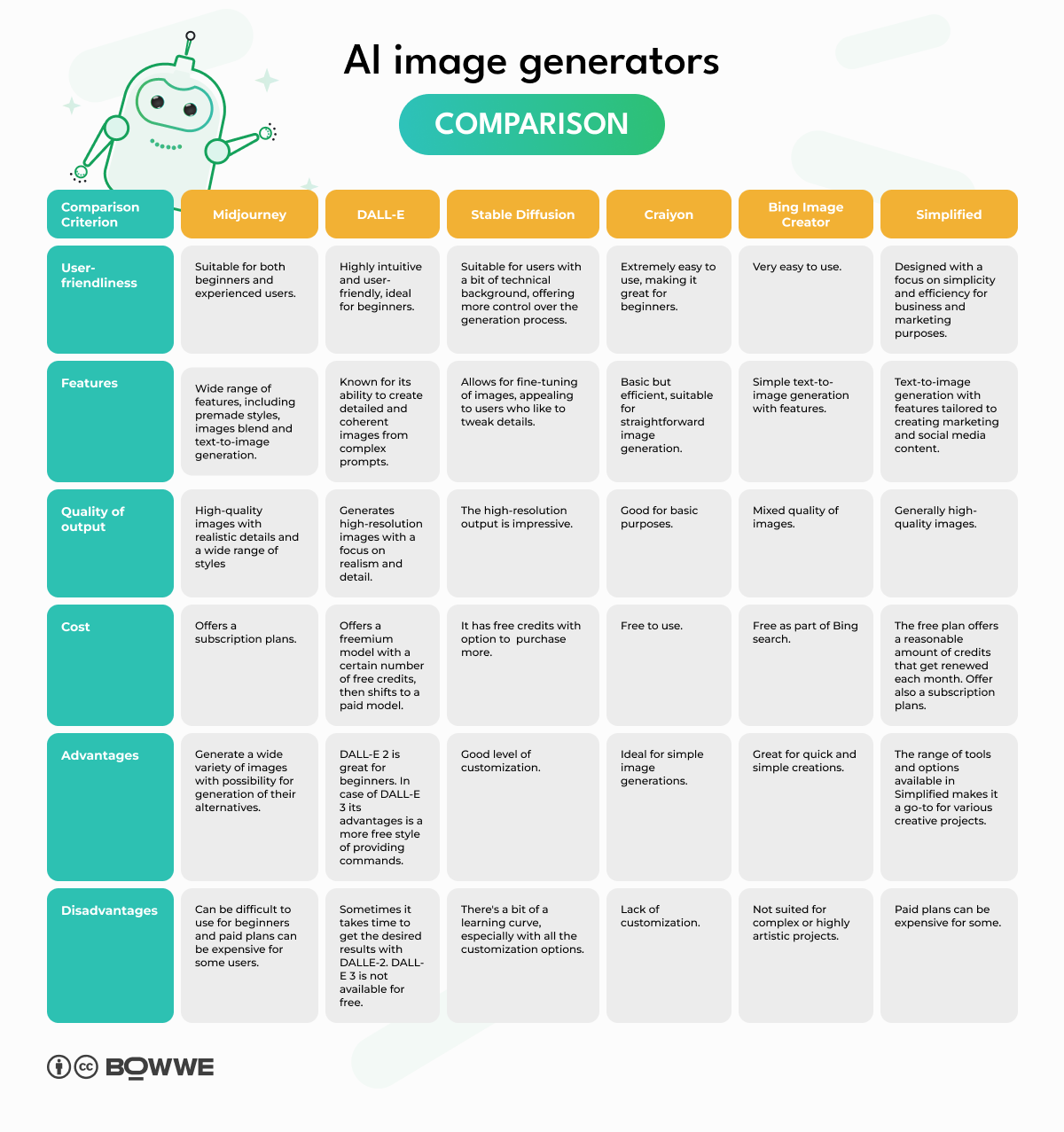
Visual AI tools have democratized design for non-artists while giving professional creators new ways to explore concepts quickly. The category ranges from simple text-to-image generators to sophisticated platforms with editing, inpainting, and style control.
What to Look For
Image quality is obvious, but control is equally important. Can you adjust specific elements? Does the tool respect your prompts precisely, or does it take creative liberties you did not request? Commercial usage rights are another critical factor. Some generators restrict how you can use the output.
Common Pitfalls
Generated images often contain subtle errors, extra fingers, distorted faces, or inconsistent lighting. These flaws may be acceptable for concept art but problematic for client deliverables. Always inspect outputs carefully and have a plan for manual refinement when needed.
Real-World Performance
For brainstorming and mood boards, almost any modern image generator works well. For production-ready marketing assets, you will likely need a tool with advanced editing capabilities or the willingness to combine AI output with traditional design software.

AI Coding Assistants and Development Tools
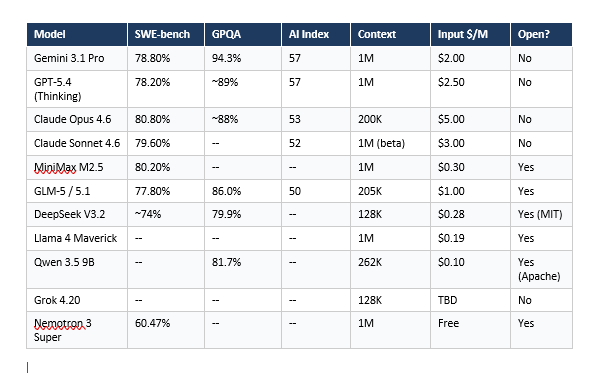
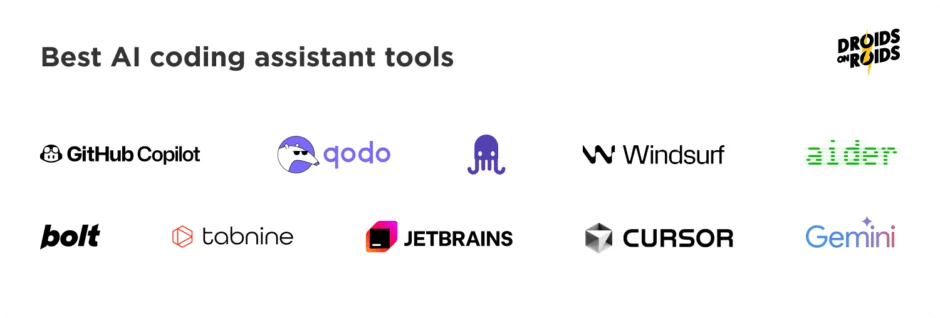
Developers were among the earliest and most enthusiastic adopters of AI tools. Coding assistants now offer intelligent autocomplete, bug detection, code explanation, and even full function generation based on natural language descriptions.
What to Look For
The best coding assistants understand your entire codebase, not just the current file. They should integrate smoothly with your IDE, respect your coding style, and provide explanations that help you learn rather than just copy-paste solutions. Security is also paramount. Be cautious about tools that send proprietary code to external servers.
Common Pitfalls
AI-generated code can look correct while containing subtle bugs or security vulnerabilities. Never deploy AI-written code without review. Additionally, over-reliance on assistants can slow your learning as a developer. Use them to accelerate, not replace, your understanding.
Real-World Performance
For boilerplate code, repetitive patterns, and documentation, coding assistants are genuinely transformative. For complex architectural decisions or novel algorithms, human judgment remains essential. The sweet spot is using AI for the routine while reserving your brainpower for the creative and critical.
AI SEO and Marketing Tools
Search engine optimization has been transformed by AI. Modern tools can analyze competitor content, suggest keywords, generate meta descriptions, and even predict ranking potential. However, quality varies enormously in this category.
What to Look For
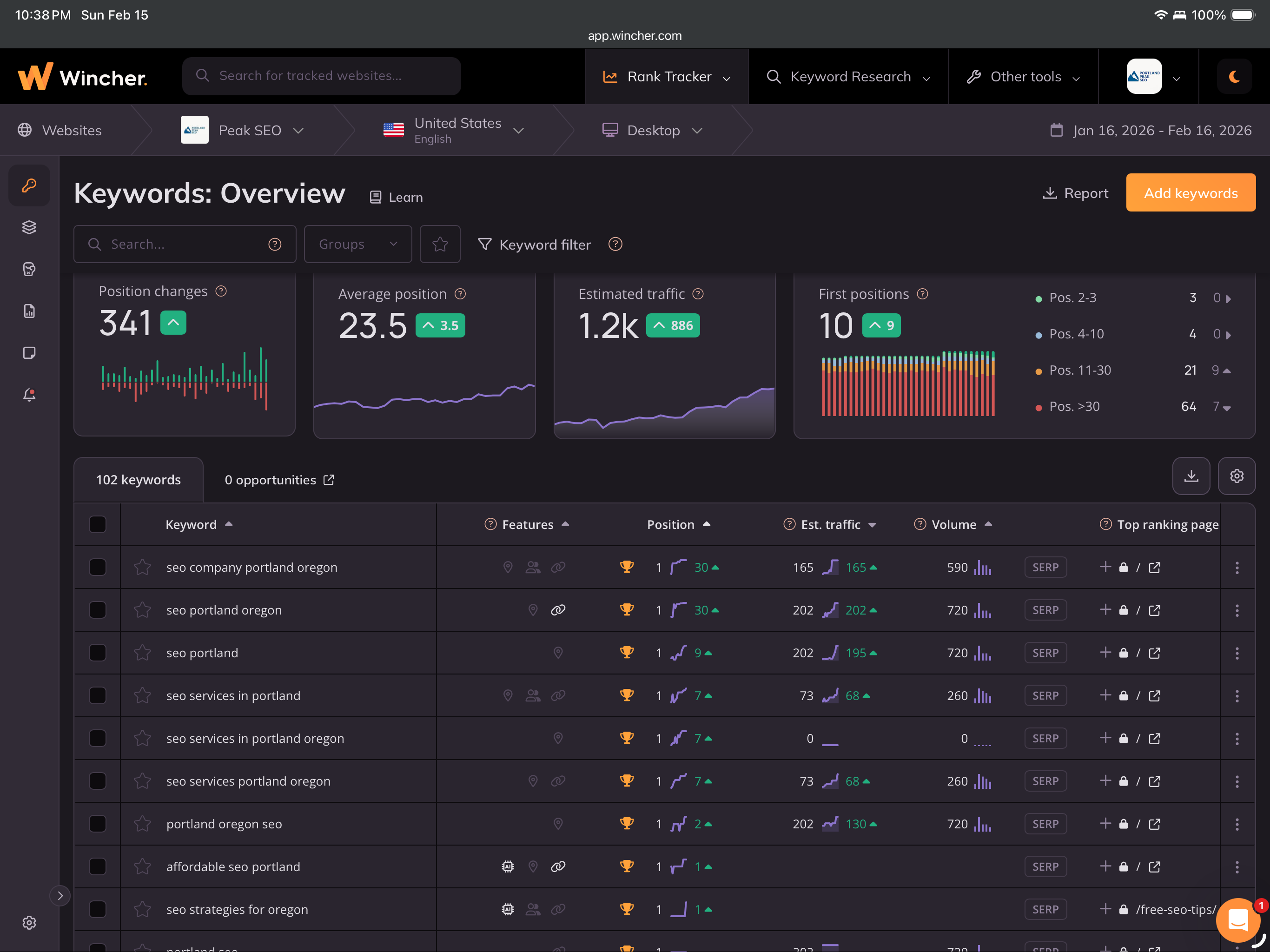
Look for tools that combine AI generation with actual SEO data. A tool that writes content without understanding search intent, competition levels, or topical authority is not truly an SEO tool. It is just a writing assistant with marketing copy. The best platforms integrate keyword research, content optimization, and performance tracking.
Common Pitfalls
AI-generated SEO content often ranks poorly because it lacks originality, depth, and genuine expertise. Search engines are increasingly sophisticated at detecting thin or derivative content. Use AI to research and draft, but invest in human editing and unique insights for content that actually performs.
Real-World Performance
I have seen AI SEO tools produce content that ranks well for low-competition keywords but struggle in competitive niches. The pattern is clear. AI can help you scale content production, but it cannot replace the authority and trust that come from genuine expertise and original research.
AI Productivity and Task Management Platforms
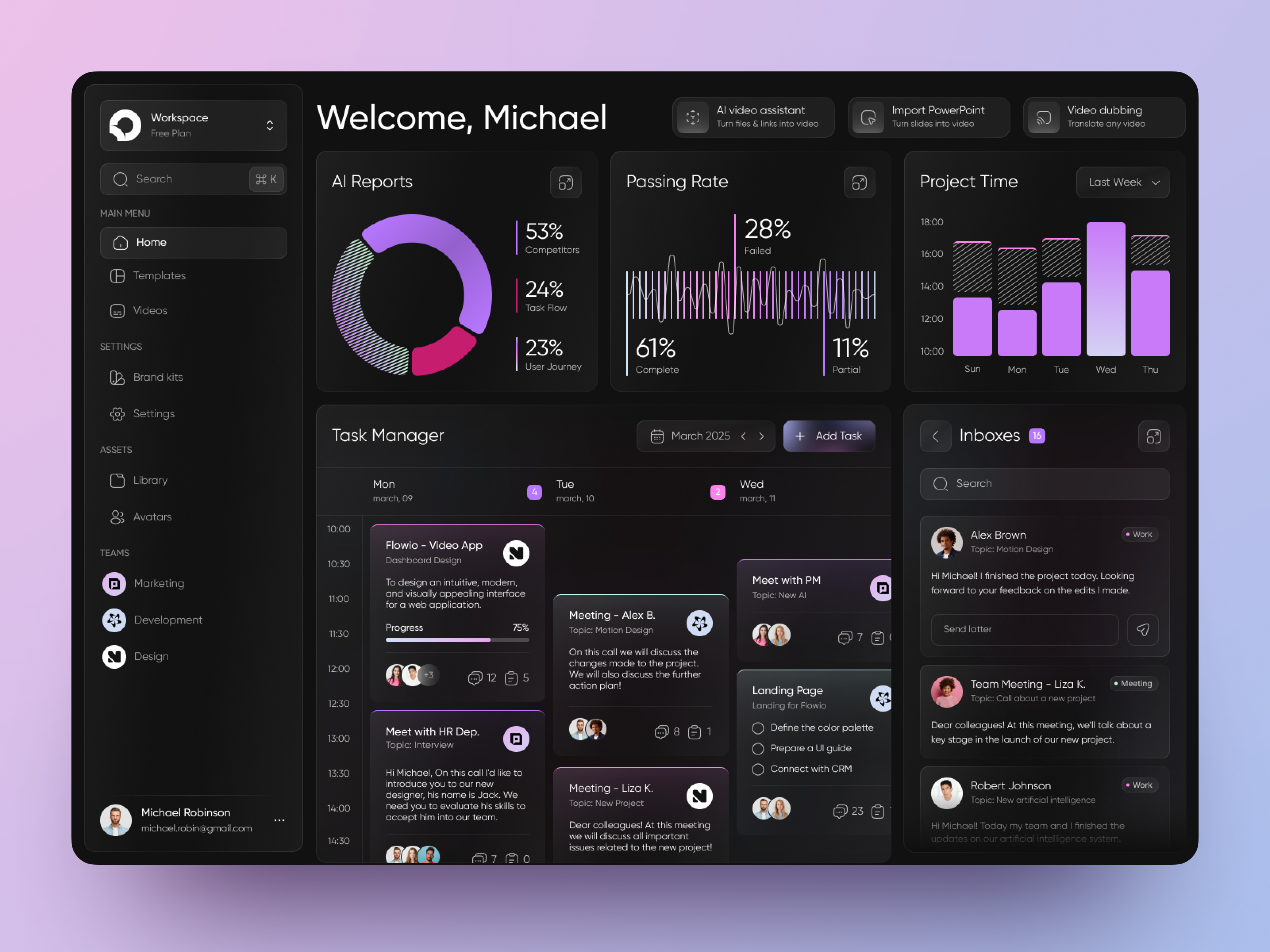
Productivity tools infused with AI promise to organize your work, prioritize tasks, and even predict what you should focus on next. The reality is more mixed, with some tools delivering genuine value and others adding complexity without benefit.
What to Look For
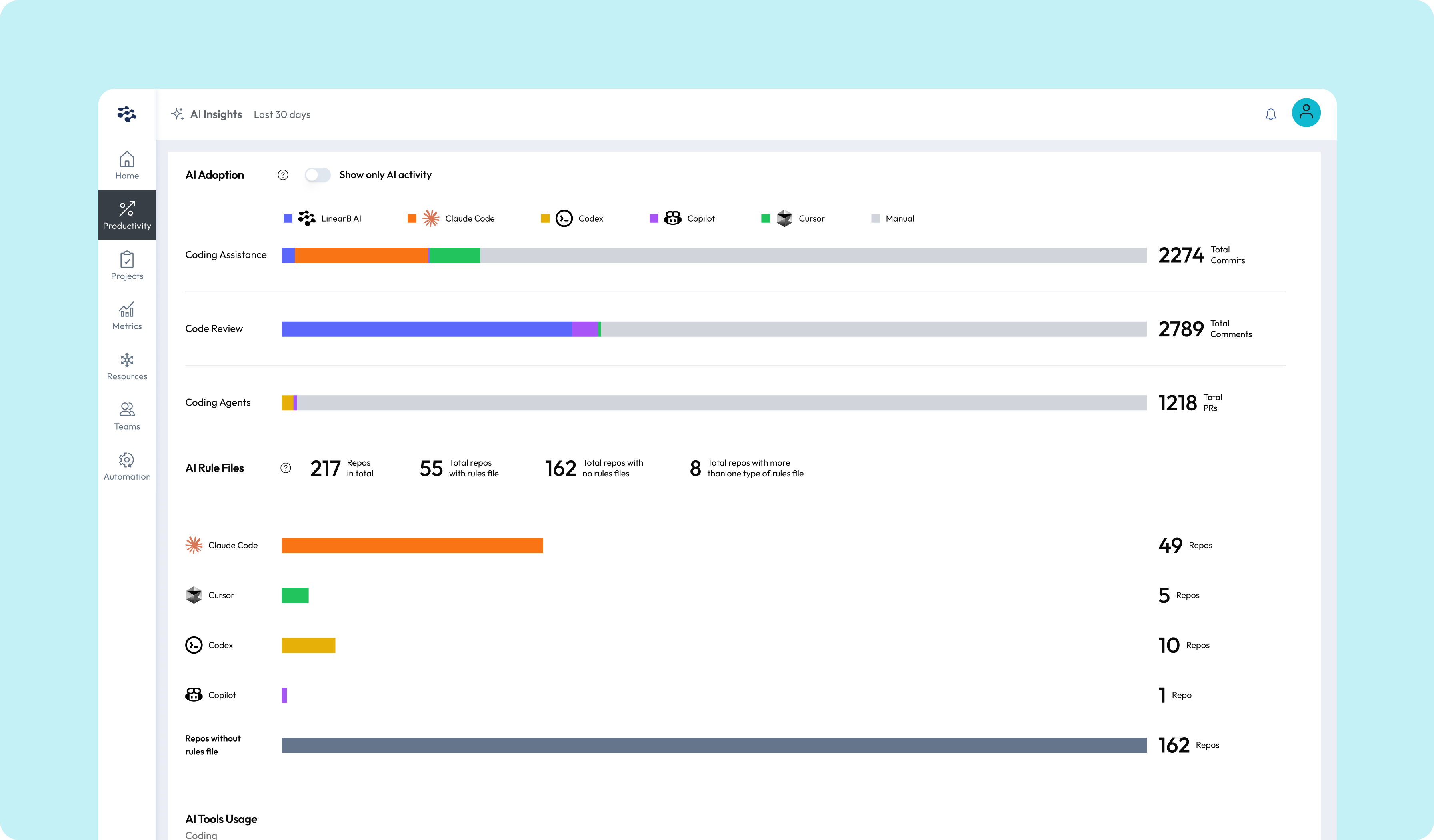
The best AI productivity tools reduce decision fatigue rather than adding new decisions to your plate. They should integrate with your calendar, email, and project management systems. Be wary of tools that require you to spend more time managing the tool than doing actual work.
Common Pitfalls
Over-automation can make your workflow rigid. If an AI scheduler constantly overrides your manual priorities, it becomes a source of frustration rather than relief. Another pitfall is data privacy. Productivity tools often have access to sensitive communications and documents. Verify their security practices before granting broad permissions.
Real-World Performance
Simple AI features, like smart reminders and automatic task categorization, tend to be the most reliable. More ambitious features, like AI-driven project predictions, are improving but still require human oversight. Start with basic automation and expand gradually.
AI Chatbots and Customer Service Platforms
Businesses of all sizes are deploying AI chatbots to handle customer inquiries, qualify leads, and provide support around the clock. The technology has moved beyond rigid decision trees to conversational systems that can understand context and handle complex queries.
What to Look For
Accuracy and escalation pathways matter most. A chatbot that gives wrong answers confidently is worse than no chatbot at all. Ensure the system can recognize when it does not know something and smoothly transfer the conversation to a human agent. Customization is also important. Your chatbot should reflect your brand voice and knowledge base.
Common Pitfalls
Many businesses deploy chatbots before training them adequately on their actual products and policies. This leads to frustrating customer experiences and damaged trust. Another pitfall is trying to automate too much too soon. Start with simple, high-volume inquiries and expand the bot’s scope based on performance data.
Real-World Performance
Well-trained chatbots can resolve a significant percentage of routine inquiries, freeing human agents for complex cases. However, customers often prefer human interaction for emotional or high-stakes issues. The best implementations use AI for efficiency while preserving human access for moments that matter.
Common Mistakes When Choosing AI Software
Even with a solid evaluation framework, it is easy to make costly mistakes. Here are the ones I see most often.
Chasing the Newest Tool
The latest launch is not always the best choice. Mature tools with established user bases often have better documentation, more reliable performance, and clearer pricing. New tools may offer innovative features but come with bugs and uncertainty.
Ignoring the Learning Curve
Every AI tool requires some investment of time to use effectively. Underestimating this leads to abandoned subscriptions and frustrated teams. Factor training time into your evaluation and choose tools with good onboarding resources.
Buying Based on a Single Use Case
A tool that solves today’s problem may not scale to tomorrow’s needs. Consider your likely future requirements, even if they are not immediate. Switching tools is expensive in terms of time, data migration, and retraining.
Neglecting Data Ownership
Some AI platforms claim broad rights to use your data for training their models. Read the terms of service carefully, especially if you work with sensitive or proprietary information. Choose vendors with clear data protection policies.
Practical Tips for Building Your AI Toolkit
If you are assembling a set of AI tools for personal or business use, here is a practical approach that has worked for me and my clients.
Start with one category. Do not try to adopt AI across every function simultaneously. Pick the area where you feel the most pain or see the most opportunity.
Set a trial period. Commit to using a new tool daily for two weeks. This is long enough to get past the initial learning curve and short enough to cut your losses if it does not fit.
Measure impact subjectively and objectively. Track metrics like time saved, output quality, and stress levels. But also pay attention to how the tool feels to use. A technically sound tool that you dread opening will not last in your workflow.
Revisit your toolkit quarterly. The AI landscape changes fast. A tool that was best-in-class six months ago may have been surpassed. Regular reviews keep your stack current without constant churn.
Maintain a backup plan. Do not become so dependent on one AI tool that a price increase, feature removal, or company shutdown disrupts your work. Keep alternatives in mind and your data exportable.
Frequently Asked Questions
How do I know if an AI tool is worth the subscription cost?
Calculate the value of the time it saves you or the revenue it helps generate. If a twenty-dollar monthly tool saves you five hours of work, and your time is worth fifty dollars per hour, the return is clear. For less tangible benefits, use a trial period to assess whether the tool meaningfully improves your workflow.
Are free AI tools good enough, or do I need to pay?
Many free AI tools are surprisingly capable for basic tasks. Paid versions typically offer higher usage limits, better performance, advanced features, and customer support. Start free, upgrade when you hit limitations that genuinely block your work.
How do I avoid getting overwhelmed by too many AI tools?
Limit yourself to one tool per primary function. Having three writing assistants, two image generators, and four productivity apps creates fragmentation. Choose the best fit for each category and resist the urge to collect tools.
Can I trust AI tool reviews from influencers and bloggers?
Approach them with healthy skepticism. Many reviewers receive affiliate commissions or free access that may bias their opinions. Look for reviews that mention downsides, compare multiple tools fairly, and disclose relationships with vendors.
What should I do if an AI tool stops working well after an update?
Contact support with specific feedback. Good vendors listen to user complaints and iterate quickly. If the issue persists and affects your core workflow, do not hesitate to explore alternatives. Loyalty to a tool that no longer serves you is expensive.
Final Thoughts
The world of AI tools and software is vast, exciting, and occasionally overwhelming. The key to navigating it successfully is not to become an expert on every platform, but to become an expert on your own needs. When you know what problem you are solving, what workflow you are improving, and what outcomes you are seeking, the right tool becomes much easier to identify.
My three-week testing marathon taught me that the perfect AI tool does not exist. Every option involves trade-offs between power, simplicity, cost, and flexibility. The goal is not perfection. It is finding a tool that fits well enough to become part of your daily rhythm, then using it consistently to create better work with less friction.
As you explore the AI software landscape, stay curious but disciplined. Test generously, commit carefully, and always remember that the tool serves you, not the other way around. The best AI investment you can make is not in any single platform, but in the skill of evaluating and integrating technology wisely into your unique way of working.